Google Search Gets Smarter with AI Mode: Now Learn with Video, Canvas, and Lens
Have you ever wished the internet could understand your schoolwork, help you plan a trip, or explain something confusing just like a real person? With the new updates to Google Search, that wish is coming true. Google has launched a powerful set of AI tools that make searching smarter, more visual, and personal than ever before. Whether you’re a student, a parent, a teacher — or just someone looking to learn or plan better — these updates are built to make your life easier.
This back-to-school season, Google is adding something truly game-changing to Search — new AI Mode features that don’t just give you links but help you understand what you’re looking at. Now you can upload images, PDFs, or even show your camera to Google and get real-time answers that make sense to you. Let’s explore what’s new and why it’s going to change the way we search.
AI Mode is Now Smarter, More Visual, and Truly Helpful
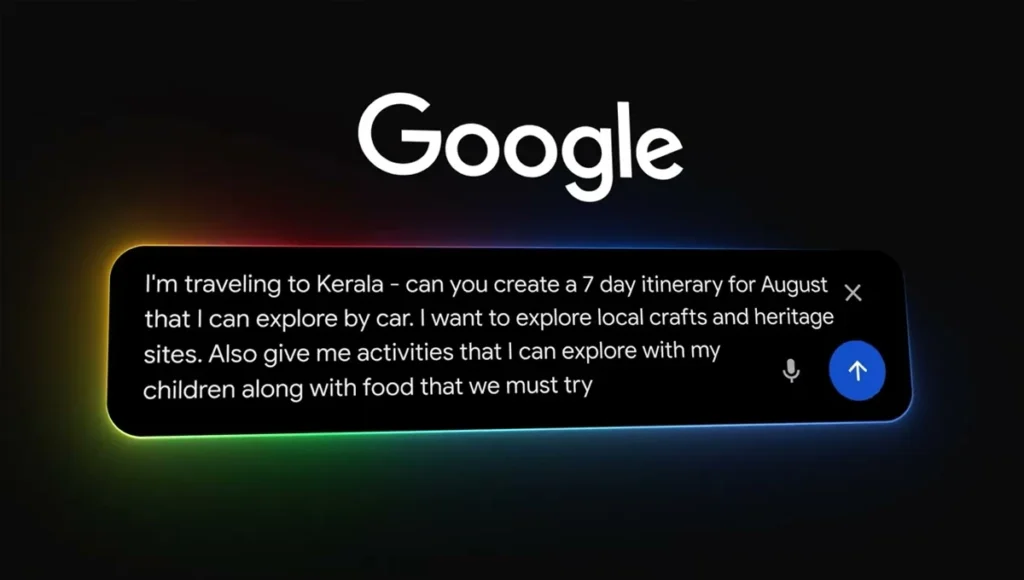
When you visit Google’s homepage now, you’ll notice a new “AI Mode” button. This is where your smarter search journey begins.
With AI Mode, you can now upload an image or PDF file and ask Google questions about it. For example, if you have a complicated diagram or a long document you don’t understand, just upload it. Google’s AI will read it, compare it with information from across the web, and give you a useful, personalized response — along with helpful links so you can learn more.
This is not just about searching. It’s about learning and understanding.

Search Live with Video: Now Your Camera Can Ask Questions
A month ago, Google rolled out Search Live with audio input. Now, it’s gone a step further — you can use video. That means you can show your phone’s camera something — a textbook page, a math formula, an object — and Google will help you understand it in real time.
To use this, just open the Google app, tap on Lens, then tap the “Live” icon. Now your camera becomes a live question box. AI Mode will have a conversation with you, while also “seeing” what you’re looking at. It responds with insights, explanations, or follow-up suggestions — just like a smart assistant who’s right there with you.
This feature is currently rolling out in the U.S. for mobile users enrolled in the AI Mode Labs experiment.
Image and PDF Uploads: Your Files, Your Questions
Have a PDF full of study notes? Or an image from class you don’t understand? Now you can upload it directly to AI Mode and ask your questions.
AI Mode will read your file, analyze its content, and cross-check it with the best information available online. Then, it gives you a custom response tailored to your file. That’s powerful.
And it’s just the beginning — in the coming months, Google plans to support even more file types, including files from your Google Drive. Right now, this feature is rolling out on desktop in the U.S.
Canvas in AI Mode: Smart Planning Made Simple
Google has introduced a new feature called “Canvas in AI Mode” — and it’s perfect for anyone trying to organize their thoughts or create a plan. Whether you’re studying, preparing for a trip, or working on a big project, Canvas can help.
Here’s how it works: When you ask AI Mode something related to planning, a “Create Canvas” button will appear. Click it, and a side panel will open where you can create your plan, take notes, add steps, and interact with AI — all in one place.
Canvas helps you build your ideas as you go, making it a great tool for managing complex tasks. This feature is rolling out over the next few weeks to U.S. desktop users in the AI Mode Labs experiment.
Lens in Chrome: Now Ask Questions About Any Webpage
Google Lens in Chrome is also getting an upgrade. Earlier, it could recognize images and search what’s on your screen. Now, with AI Mode, you can do even more.
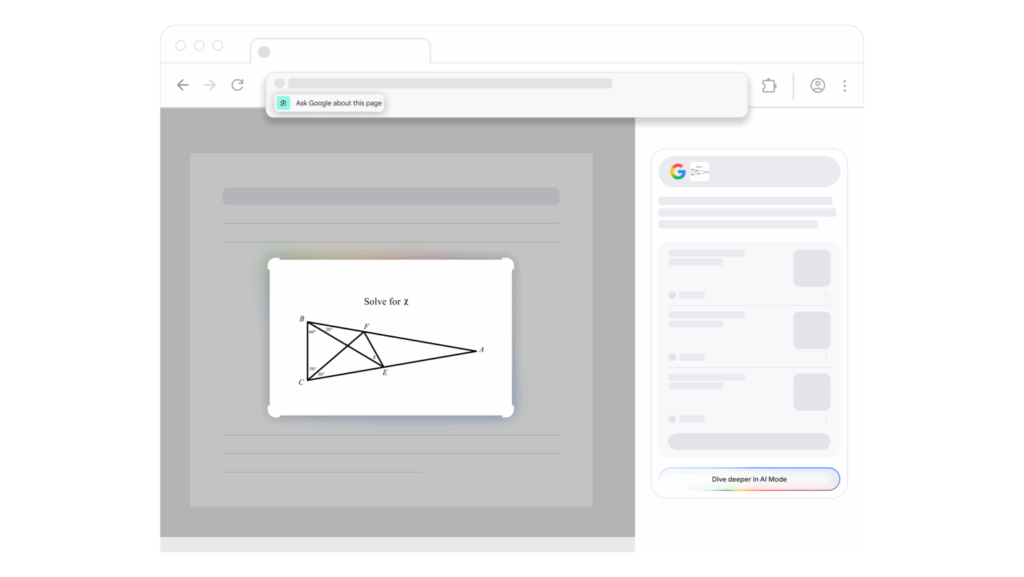
When you’re browsing on Chrome and click in the address bar, you’ll now see a suggestion: “Ask Google about this page.” Click it, select an image, diagram, or text section, and AI Mode will give you an overview right in a side panel. It’s quick, simple, and deeply insightful.
Want to learn more? Click “AI Mode” at the top of the results or “Dive deeper” at the bottom — and keep the conversation going with AI. This smart feature is rolling out this week and will soon be available to more users.
Google Search is No Longer Just a Search Engine — It’s Your Personal Guide
With these updates, Google Search is becoming something more than just a tool. It’s becoming a personal assistant that understands your files, your camera, your questions — and helps you move forward with clarity.
Search is no longer about typing keywords and hoping for the best. With AI Mode, it’s about meaningful interaction. It’s about understanding diagrams, asking follow-up questions, planning your work, and truly learning. Whether you’re studying for finals, building a travel itinerary, or just curious about something — Google’s new AI Mode is ready to help you like never before.
Disclaimer:
This article is created with original language and human-friendly tone, based entirely on Google’s official updates. It is meant to inform and educate readers without violating any search engine or content policies. No spammy or misleading content has been used in this article.
Also Read
iPhone 17 Pro Leak: Stunning 8x Zoom Camera, Pro Features & September 2025 Launch Revealed